 AP-OWO
 › Instrument tuner
A tuner that draws your instrument
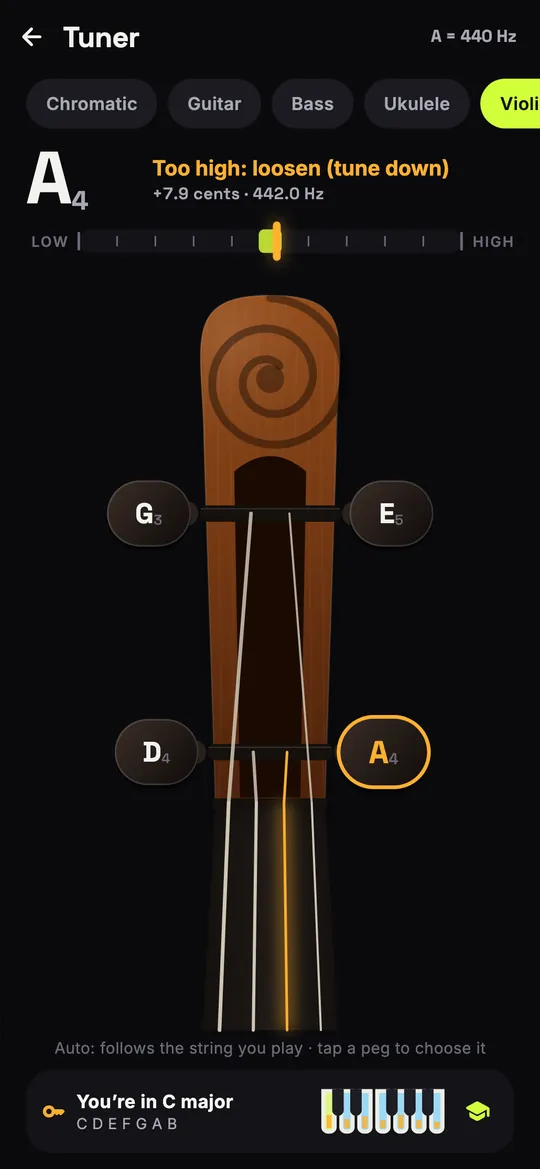
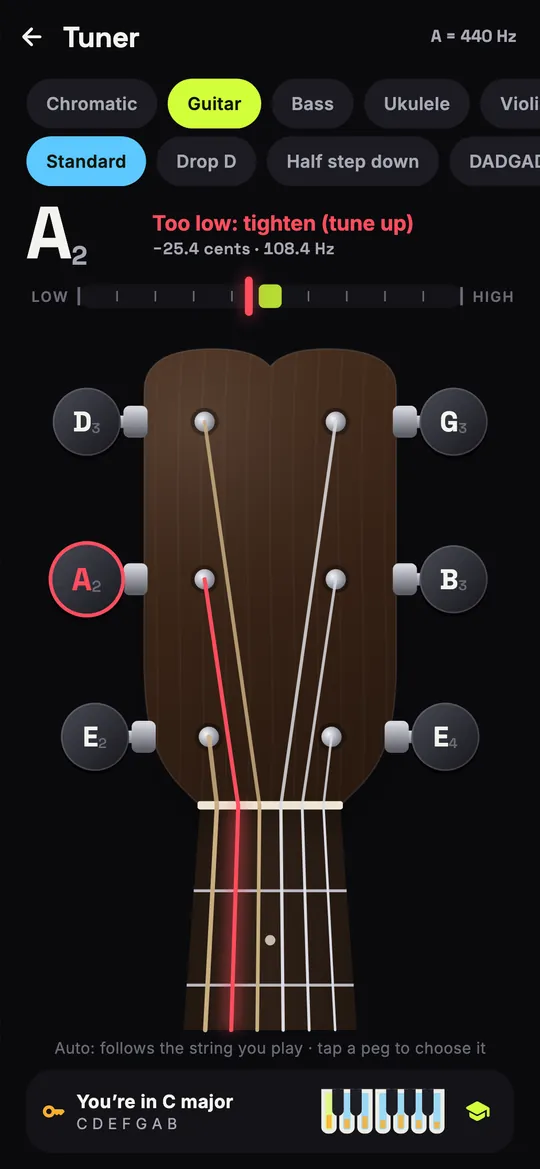
AP-OWO’s tuner shows your actual instrument: a guitar or bass headstock, a ukulele, or the pegbox and scroll of a violin, viola or cello. The string you play glows and vibrates in the tuning colour, and a key finder names the key you are singing or playing in.
Get AP-OWO free on Google PlayFree · no ads · no account · works offline · Android 8+
What it does
Guitar
Standard, Drop D, half step down, DADGAD, open G, D and E.
Bass and ukulele
4- and 5-string bass; ukulele standard, low G and baritone.
Violin, viola, cello
The pegbox and scroll on screen; tap a peg to pick a string.
Chromatic
Any instrument or your voice, with a reference pitch from 432 to 444 Hz.
Key finder
Sing or play for a few seconds and it names your key.
How to use it
- Turn the dial to Tuner.
- Pick your instrument and tuning.
- Play one string: the matching string lights up.
- Turn the peg until the needle is centred and the string turns green.
- Tap a peg to lock onto one string if it keeps picking the wrong one.
Questions
Is there a free violin tuner app without ads?
Yes. AP-OWO tunes violin, viola and cello (and guitar, bass and ukulele) free, with no ads.
How accurate is it?
The pitch detector is refined to a fraction of a cent; the display treats ±3 cents as in tune.
Can I tune to 432 Hz or 442 Hz?
Yes, choose a reference pitch from 432 to 444 Hz.
Does it tune drop and open tunings?
Yes: Drop D, half step down, DADGAD, open G, D and E on guitar.
One app for your whole music life
Covers, a Loop Station, live autotune, a tuner, 3D animation, lyrics and a pro EQ.
Get it free